Booking widgets
A small form you embed on your website so visitors can request service without calling.
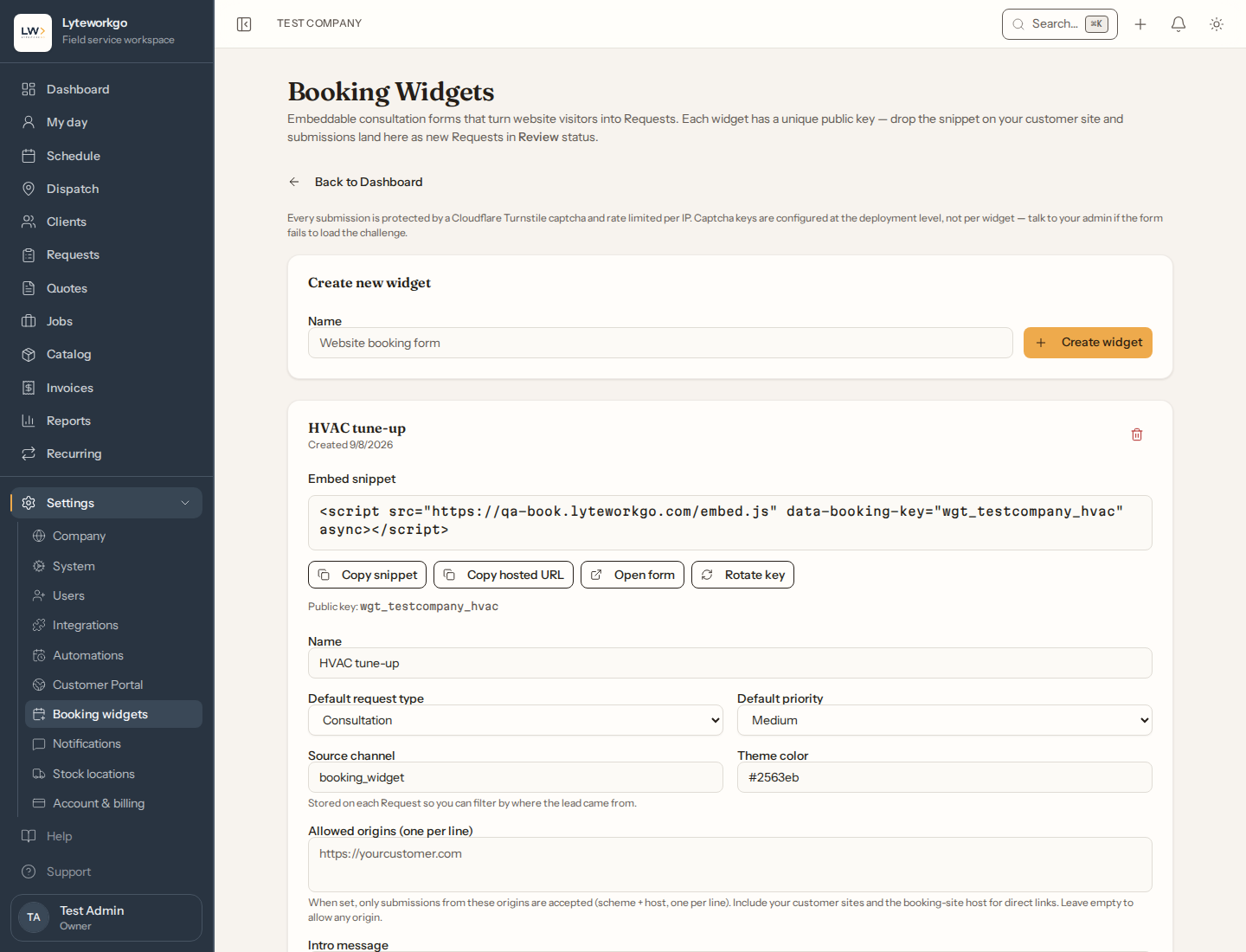
Settings → Booking widgets creates the form that can live on your public website. When someone submits it, Lyteworkgo opens a request for your team.
Requires owner or admin access. Office staff, Field techs and Billing do not see Settings → Booking widgets.
You can have up to five booking widgets — one for each thing you want people to be able to book, such as a second trade or a seasonal offer. Deleting a widget frees its slot.
You may already have one
You told us your trade when you signed up, so a widget was written for you and saved switched off — one of several things your workspace came with, listed under What is already set up. Read the wording, change anything you like, then turn on Enabled when you are happy with it. Until you do, the snippet and the hosted link will not load a form — the card says so above the snippet.
Create a widget
Create widget, then set:
- Name — your customers see this, as the heading on the form. Name it the way you would title the page (“Request Service”, “Book a Cleaning”), not with an internal label like “Website form 1”.
- Enabled — off takes the form down without deleting it.
- Default request type, priority, and source.
- Theme color, intro message, and success message.
- Whether phone and address are required.
- Allowed websites (origins) that may embed the form. This is a convenience that keeps your snippet from working by accident on other sites; it is not spam protection.
Save when you are done.
Putting it on your website
Each widget has:
- An embed snippet to paste into your site.
- A hosted URL you can open or share as a standalone page.
Rotate key if you think the old embed was copied somewhere it should not be. Existing snippets and any hosted link you shared stop working until you replace them with the new ones. Delete removes the widget.
After someone books
A new request appears on the Requests list for that client (Lyteworkgo matches or creates from the details they entered). Treat it like any other request: review, schedule, quote, or job.