Notifications
Customize the emails customers receive. Text-message wording is fixed by Lyteworkgo.
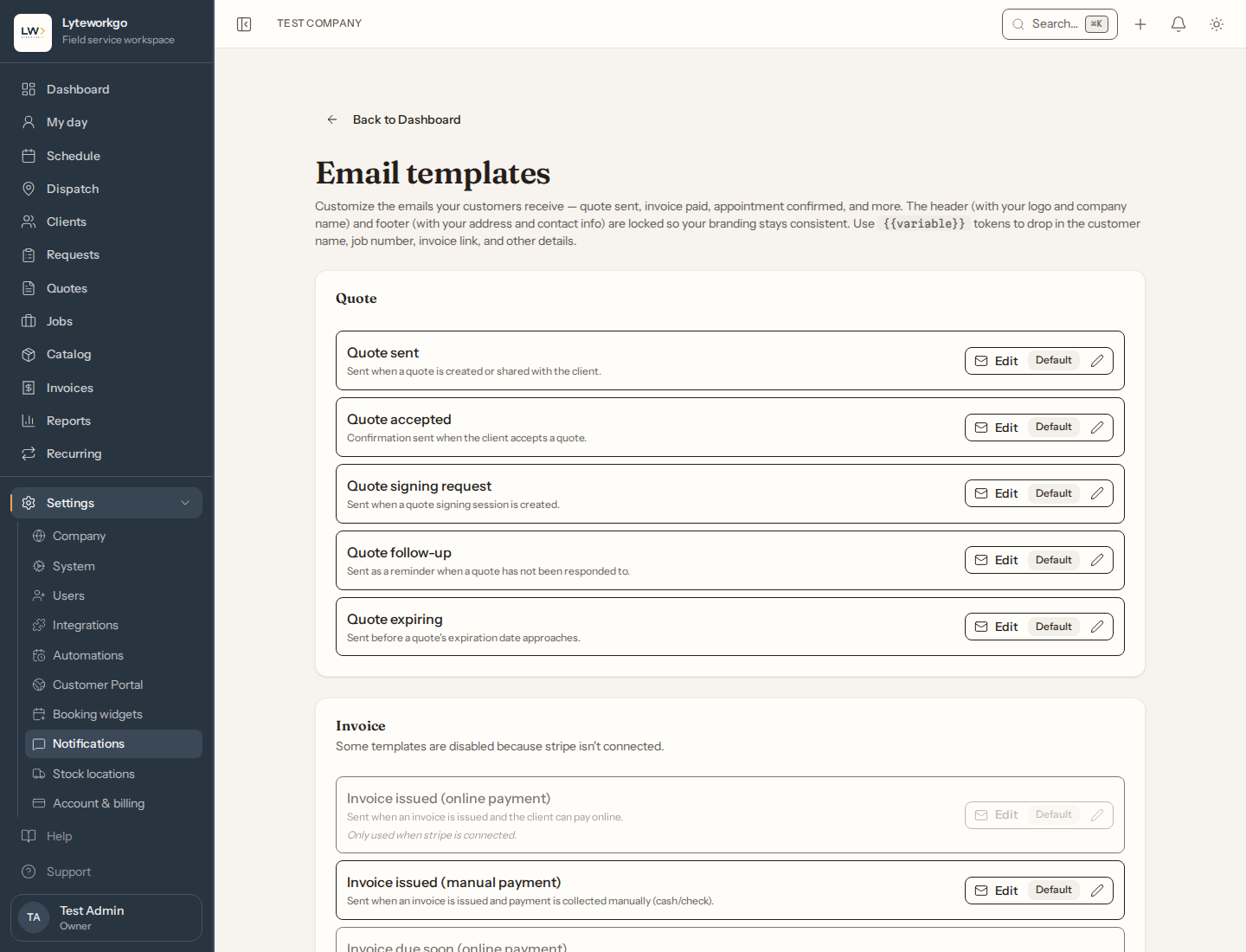
Settings → Notifications is your library of customer emails — quote sent, invoice reminder, appointment updates, and similar. Edit the subject and body so they sound like your company.
Requires owner or admin access. Office staff, Field techs and Billing do not see Settings → Notifications.
The list
Templates are grouped (Quote, Invoice, Job, Request, Message). A badge shows Customized or Default. Edit opens one template. Sign-in codes, staff invitations and other account emails are sent by Lyteworkgo and are not listed here.
Text messages (SMS) are not editable. All businesses share the same SMS program, so the wording stays consistent and compliant. Email is yours to adjust.
Texts to your customers count toward your size’s monthly text allowance — see Storage and texts.
Editing a template
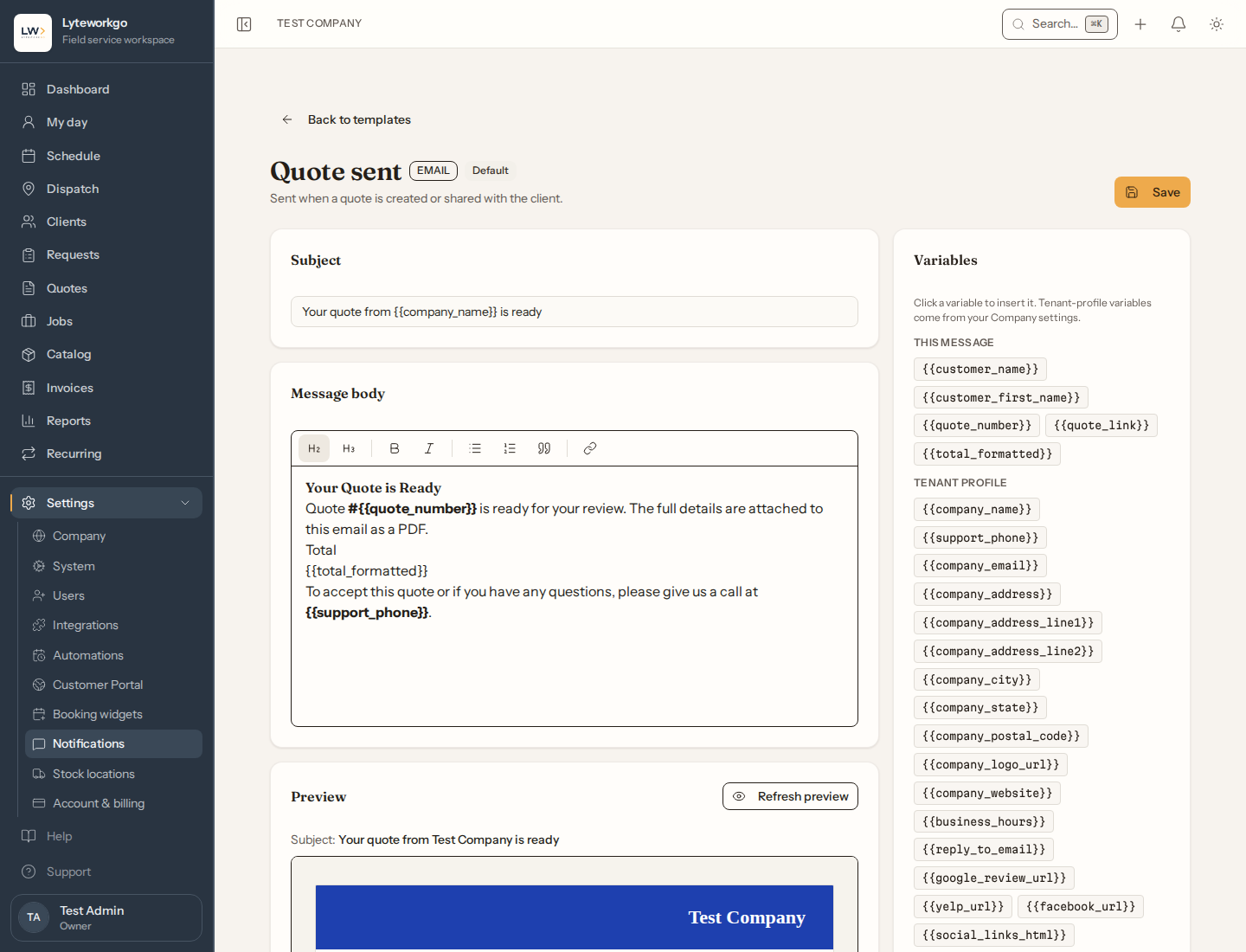
Change the subject and body. Placeholders like {{customer_name}} and {{company_name}} fill in automatically — insert them from the variable list rather than typing them, and keep the ones already there intact unless you mean to drop them. Each template allows its own set of variables — save is refused with an error if you reference one that template does not have. Use Preview to see a sample.
Save stores your version. Every save asks you to confirm the content follows the Acceptable Use Policy.
Reset to default throws away your custom wording (you will be asked to confirm).
Header and footer (logo, company name) come from your branding and are not edited here.
Related to automations
These emails are what customers get when Automations are on (reminders, follow-ups, due notices). Turning an automation off stops those sends even if the template still exists.